2025-12-26
Best AI PowerPoint Generator: Why Export Quality Matters
How to choose AI presentation tools that actually work with PowerPoint instead of breaking your slides

Last Updated: 1/24/26
When evaluating the best AI PowerPoint generator, most comparison articles focus on generation speed and design quality. But there’s a critical feature that determines whether these tools actually save time: what happens when you need to use the presentation in PowerPoint.
For comprehensive comparison of the top AI presentation makers in 2026, see our complete guide to the best AI presentation tools. This article dives deep into the export quality problem that most reviews ignore—and why it determines which tools actually accelerate your workflow versus creating new problems.
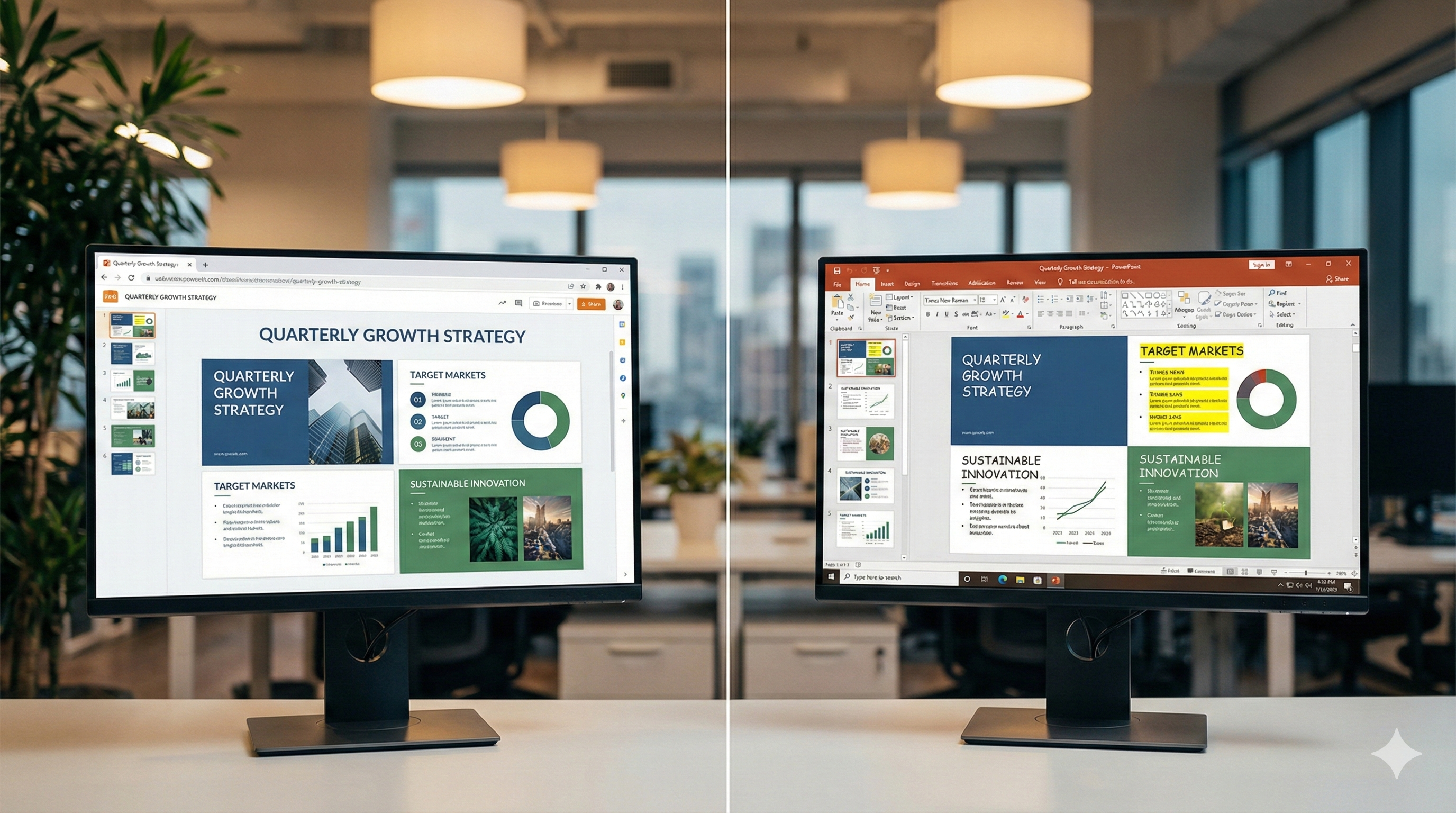
You create a beautiful presentation in Gamma or Beautiful.ai, then export it to share with colleagues who use PowerPoint. The file opens with text boxes overlapping, fonts replaced with defaults, and your carefully chosen colors shifted to generic alternatives. What should have been a five-minute export becomes a 45-minute formatting repair session.
Testing by Plus AI found that standalone AI presentation tools consistently produce formatting issues when exported to PowerPoint, including missing fonts, layout problems, and misplaced text boxes. For teams that need PowerPoint compatibility, export quality isn’t a minor feature—it’s the difference between productivity gains and productivity losses.
Understanding why some tools export cleanly while others create formatting disasters helps you select AI PowerPoint generators that actually accelerate your workflow instead of creating new problems.
Why Most AI Presentation Tools Break PowerPoint Files
The export problem stems from how these tools are built. Standalone platforms like Gamma and Beautiful.ai create presentations using web technologies optimized for browser display. When you export to PowerPoint format, the tool attempts to translate web-based designs into PowerPoint’s slide structure—and critical elements get lost in translation.
Gamma’s own documentation acknowledges that gradient headings may render differently or default to single colors in exports, and some fonts may not appear as expected unless installed locally. These aren’t bugs—they’re fundamental limitations of converting between different presentation formats.
The formatting issues compound when teams collaborate. One person creates the presentation in the web tool, exports it for a colleague who reviews in PowerPoint, who then discovers that tracked changes and comments work differently than expected. Version control fragments across platforms, and what began as a time-saving AI tool becomes a coordination problem.
The export problem isn’t just technical—it’s strategic. Organizations investing in AI presentation tools that preserve existing templates avoid export issues entirely because presentations never leave PowerPoint format. When you’re evaluating which tool to choose, export compatibility and template preservation work together: tools that maintain your templates also eliminate export headaches.
What Makes a PowerPoint Generator Actually Work
The best AI for PowerPoint presentations eliminates the export problem entirely by working with native PowerPoint files from the start. Instead of creating presentations in a proprietary format and attempting translation, these tools enhance your existing PowerPoint templates with AI-powered content generation.
When AI works directly with PowerPoint files, there’s no export step to break formatting. The presentation you create is a PowerPoint presentation—opened in PowerPoint, edited in PowerPoint, shared as PowerPoint. Your fonts stay consistent because they’re PowerPoint fonts. Your layouts remain intact because they’re PowerPoint layouts. Your brand colors match perfectly because they come from PowerPoint color palettes.
This native approach also preserves the templates you’ve already invested in developing. Marketing agencies have proposal templates refined through dozens of client pitches. Consulting firms have methodology presentations that communicate complex strategies effectively. Investment banks have pitchbook formats that drive decision conversations. Working with PowerPoint files means AI enhances these proven templates rather than forcing you to rebuild them in new systems.
For organizations exploring how to implement AI presentation automation while maintaining brand consistency, our comprehensive guide to AI PowerPoint automation demonstrates how template preservation technology works with existing assets.
Comparing AI PowerPoint Generator Approaches
Different tools take fundamentally different approaches to PowerPoint integration, and understanding these differences helps predict which will actually work for your needs.
Standalone Web Platforms like Gamma and Beautiful.ai create presentations in browser-based editors with their own design systems. These platforms offer impressive AI capabilities and modern interfaces, but PowerPoint compatibility requires export translation that consistently introduces formatting issues. Extended testing confirms that when you export Gamma presentations to PowerPoint, fonts can be off, line spacing gets jumbled, and images resize awkwardly because you’re forcing fluid web-based designs into rigid slide containers.
PowerPoint Add-ins like Plus AI work inside PowerPoint’s interface, generating content that’s natively compatible because it’s created directly in PowerPoint. The advantage is zero export issues, but you inherit PowerPoint’s interface limitations and can’t access features that don’t exist in the base application.
Template Preservation Platforms like LLeMental combine the best aspects of both approaches. You upload existing PowerPoint templates, and the platform generates content directly within your slides while preserving your template structure. Content generation creates native PowerPoint files without interface constraints, and presentations work seamlessly in PowerPoint because they never left the format. Our detailed comparison of AI PowerPoint automation approaches examines how different technical architectures affect practical usability.

When PowerPoint Compatibility Actually Matters
Not every use case requires perfect PowerPoint compatibility. If you primarily share presentations via web links and never need recipients to edit in desktop software, standalone web tools work effectively. If your organization uses only Google Slides, native Google Slides integration matters more than PowerPoint export quality.
But most business presentations still move through PowerPoint at some point. Legal teams review in PowerPoint with tracked changes. Executives edit in PowerPoint before board meetings. Clients request PowerPoint files for their records. Sales teams present from PowerPoint in client offices. When any of these scenarios apply, export quality directly impacts productivity.
The compatibility requirement intensifies for regulated industries where presentation content requires approval workflows. When compliance departments use PowerPoint’s commenting and review features, presentations created in web tools and exported lose the granular version control these workflows depend on. What seems like a minor technical limitation becomes a business process blocker.
Calculate whether export compatibility matters for your workflow. If more than 25% of your presentations eventually need to work in PowerPoint, choose tools that create native PowerPoint files rather than tools requiring export translation. The time saved avoiding format repairs exceeds any difference in generation speed between platforms.
Making the Right Choice for Your Team
Selecting the best AI PowerPoint generator requires evaluating your actual workflow requirements, not just comparing feature lists. Start by documenting how presentations move through your organization. Do they stay digital and web-shared, or do they get edited in desktop software? Do reviewers use PowerPoint’s commenting features, or do they provide feedback through other channels? Does your brand require exact color and font matching, or is close approximation acceptable?
For teams where PowerPoint remains central to presentation workflows, template preservation technology delivers the most reliable results. You maintain exact formatting because presentations never leave PowerPoint format. You preserve brand consistency because AI populates your existing templates rather than approximating them. You eliminate training overhead because your team continues working in familiar PowerPoint interfaces.
Getting started takes seconds and pays ongoing dividends. Upload your templates and start generating immediately or optionally add instructions to guide how content is generated across your presentation. Generate unlimited presentations with perfect formatting, no export cleanup required, and full PowerPoint compatibility guaranteed.
How Export Quality Fits Into Your Overall Tool Selection
Export compatibility represents one of several critical factors when evaluating the best AI PowerPoint generator for your organization. While our comprehensive comparison of AI presentation makers examines all evaluation criteria, export quality often determines practical usability more than any other feature.
Teams creating presentations that must work in PowerPoint face a binary choice: tools that create native PowerPoint files (eliminating export issues), or tools requiring export translation (creating ongoing formatting work). When 25% or more of your presentations need PowerPoint compatibility, native file generation isn’t just convenient—it’s essential for maintaining productivity gains.
For a deeper look at how template preservation and export quality work together when choosing the right tool, see our guide to the best AI PowerPoint generator for template preservation.
Stop Wasting Time Fixing PowerPoint Export Formatting
When 45-90 minutes of manual cleanup work negates the time AI supposedly saves, you haven’t automated—you’ve just shifted where effort gets consumed. Export quality isn’t a minor technical specification. It’s the determining factor between tools that accelerate workflows versus tools that create new formatting nightmares.
LLeMental eliminates export problems entirely by generating native PowerPoint files from the start. No export step means no font substitution, no layout shifting, no color changes, no animation loss. TThe presentations you create are native PowerPoint files—they open perfectly because they never leave PowerPoint’s ecosystem.
Experience presentation automation where export compatibility is never a concern — generate presentations that maintain perfect formatting without a single minute of cleanup work.
Schedule a Demo to see native PowerPoint output with your actual templates.
Explore our pricing options for team plans and enterprise features. Questions about PowerPoint compatibility for complex branded templates or regulatory requirements? Contact our team for technical consultation.